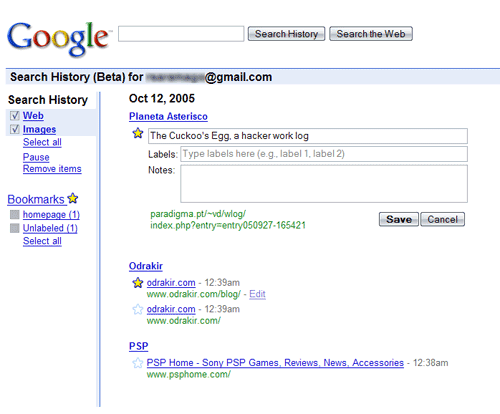
[tag]Google[/tag] added a new Bookmarks feature to My Search History. First enable the “Search History” feature. This enables the user to add [tag]tags[/tag] to any visited site or bookmark. To bookmark a site, just search for it in Google Search, it automaticaly appears in Search History, then just click the star icon. After that, click “Edit†and add tags (autocomplete ready) under the “Labels†heading. It even allows you to add some notes.
It would be great to see Google “open” this to other users and enhance it with [tag]AJAX[/tag], and BAM! We would have a kind of [tag]Del.icio.us[/tag] in steroids 😀
Leave a Reply